FAQ: xPad+
General Information
What is the BLACK X xPad+?
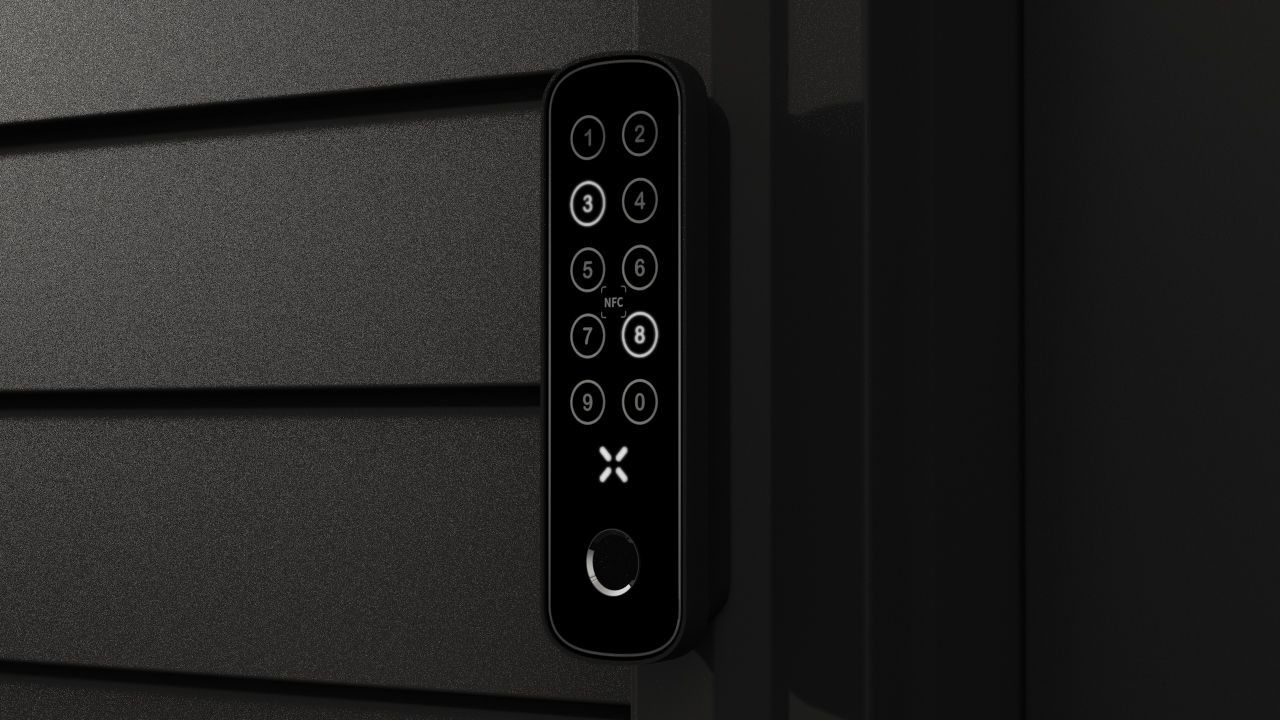
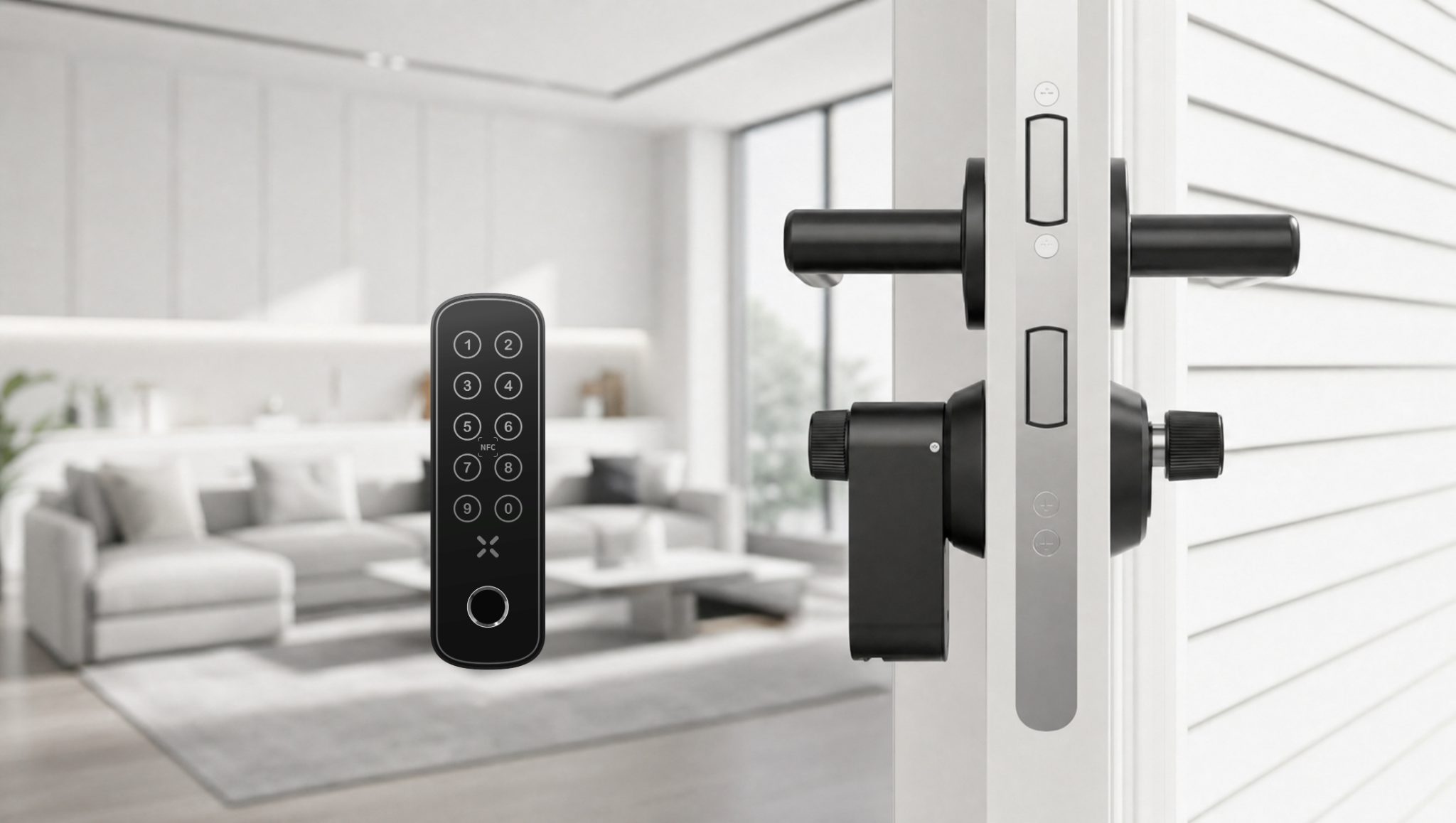
The BLACK X xPad+ is an advanced access control device designed to work with BLACK X smart locks.
It combines a keypad, fingerprint sensor, and NFC reader in a single unit, enabling secure and flexible entry without relying on physical keys.
Access permissions are managed through the BLACK X app, where users, codes, fingerprints, and NFC credentials can be configured.
Once set up, the xPad+ provides convenient access for residents, guests, and service providers.
Access Methods
What access methods does the xPad+ support?
The xPad+ supports multiple access methods, including custom access codes, fingerprint recognition, and NFC tap-to-unlock.
How does keypad access work?
Custom access codes are created and managed through the BLACK X app.
Codes can be temporary or permanent, allowing flexible access for different users.
How does fingerprint access work?
The xPad+ includes a built-in fingerprint scanner for quick and secure entry.
Once a fingerprint is registered through the app, access can be granted with a single touch.
Does the xPad+ support contactless access?
Yes. The xPad+ supports NFC, allowing access using compatible NFC cards or tags.
Does the xPad+ require a smartphone to unlock?
No. The xPad+ is designed for standalone use.
Users can unlock using a code, fingerprint, or NFC, without needing a smartphone.
Where can I find my NFC Card or NFC Tag info?
- Open the BLACK X App.
- Open the app menu and tap Add NFC Card / Tag.
- Choose your Home.
- Choose your lock.
- The NFC Card/Tag list shows each card or tag with its name and the date it was added. Tap the card or tag you want.
This opens the NFC Card/Tag screen:
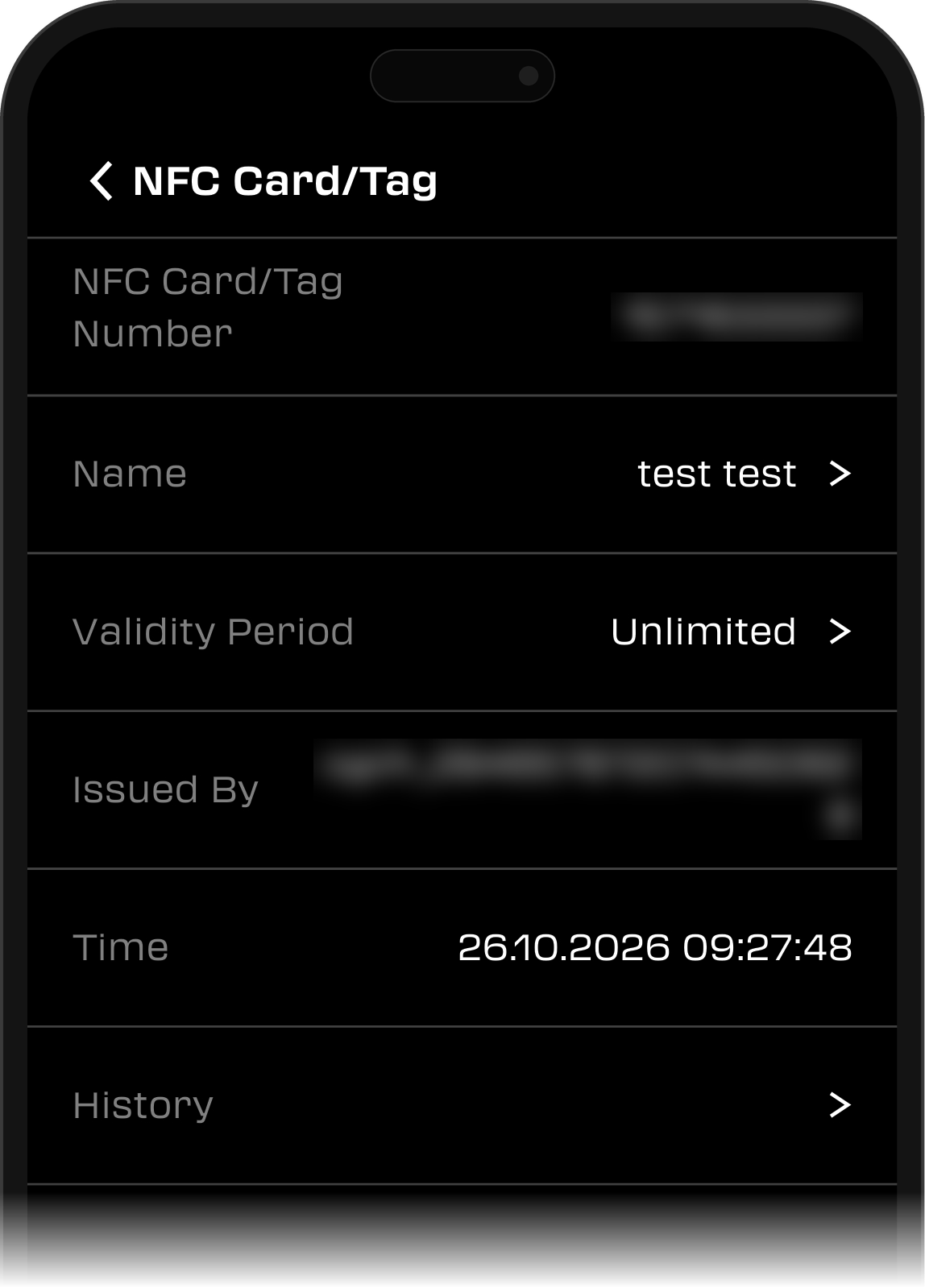
- NFC Card/Tag Number: your card's or tag's number.
- Name: the name you gave your card or tag in the app.
- Validity Period: how long the card or tag can be used, for example "Unlimited".
- Issued By: the person who added the card or tag.
- Time: when the card or tag was added.
- History: tap it to see when the card or tag was used.
If our support team asks for your NFC Card or NFC Tag details, take a screenshot of this screen and send it to us.
Installation & Setup
How is the xPad+ installed?
The xPad+ supports flexible installation.
It can be mounted using screws or an adhesive strip, depending on the surface and setup requirements.
Connectivity
How does the xPad+ connect to the lock?
The xPad+ uses Bluetooth Low Energy (BLE) to communicate with the lock and the BLACK X app, providing a stable and efficient connection.
Where can I find my xPad+ info?
- Open the BLACK X App.
- Select the lock your xPad+ is paired with.
- Tap the Settings (gear) icon.
- Tap xPad/xPad+.
- Tap xPad+.
This opens the xPad+ Info screen:
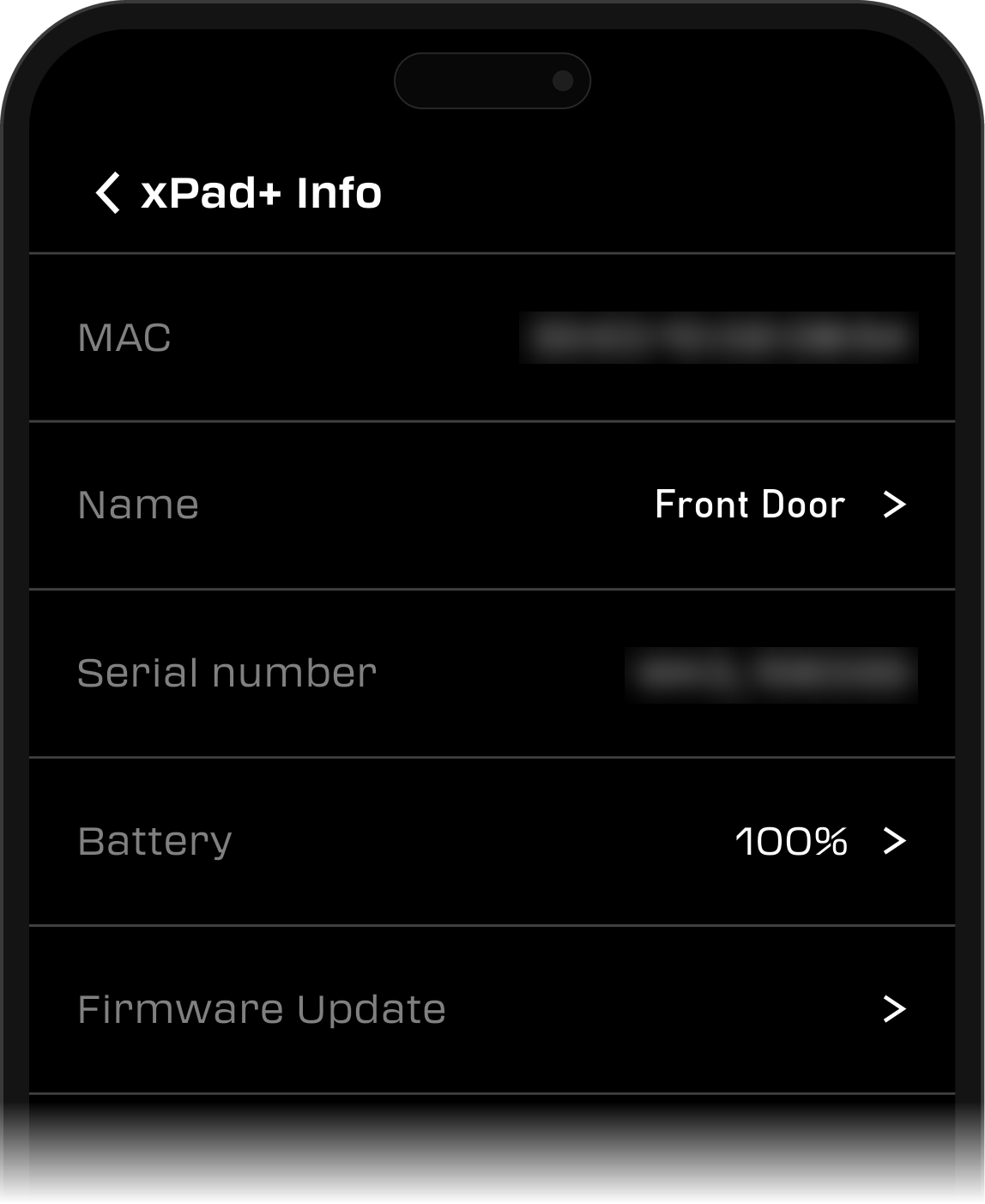
- MAC: your xPad+'s MAC address.
- Name: the name you gave your xPad+ in the app.
- Serial number: your xPad+'s serial number.
- Battery: your xPad+'s current battery percentage.
- Firmware Update: tap it to see whether your xPad+ has the latest version and which version it has now. Tap Check for update to check for a newer one.
If our support team asks for your xPad+ details, take a screenshot of the xPad+ Info screen and send it to us.
Battery & Power
What type of battery does the xPad+ use?
The xPad+ is powered by 4 AAA batteries, providing long battery life for daily use.
Comparison
What makes the xPad+ different from a standard keypad?
The xPad+ combines multiple access methods, including fingerprint recognition and NFC, with a capacitive touch surface and advanced connectivity.
This allows a more flexible, secure, and convenient access experience compared to standard keypads.
Troubleshooting & Support
Running into an issue with your xPad+? Check out the related articles below for step-by-step troubleshooting, or contact BLACK X Support.

Looking for more?
Our assistant can help refine your search, or you can reach our support team directly.