How to activate Titan Smart U-Lock model?
The BLACK X Titan RockSolid U-Lock combines reinforced security with smart access control. This installation guide will help you set up your lock quickly and correctly. Follow the step-by-step instructions below to get your RockSolid U-Lock ready for everyday use.
Step 1: Unbox and Prepare Components
Included in the Box
1x Titan Smart RockSolid U-Lock
1x Pairing Tool
1x CR2 Battery
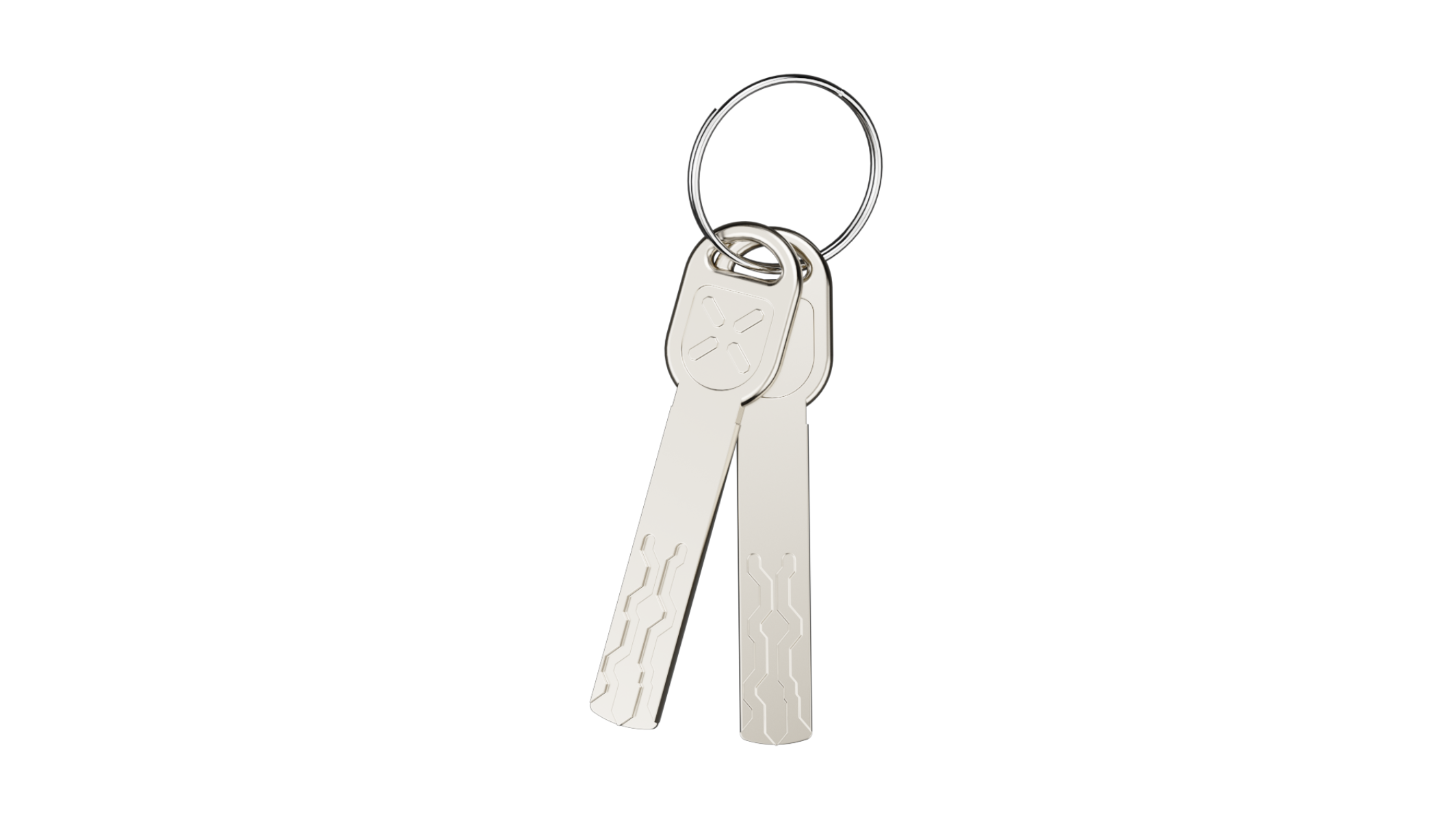
2x Mechanical Keys
Step 2: Prepare for Activation
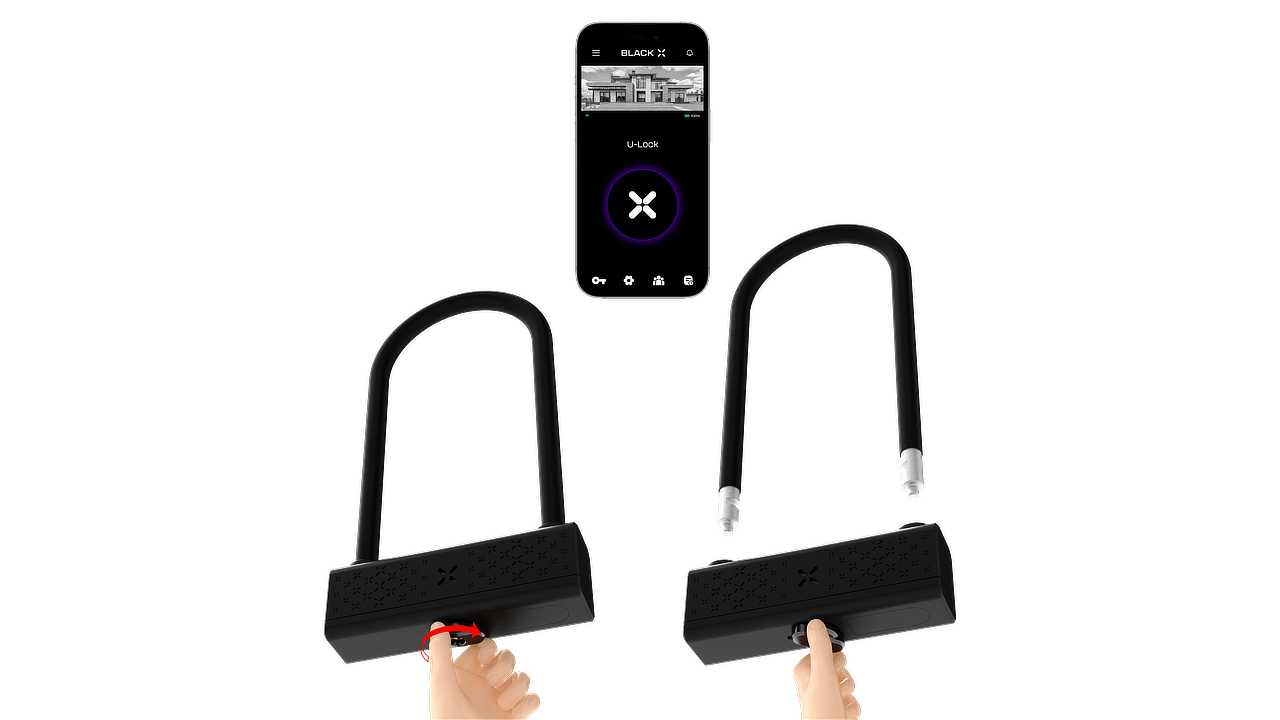
1. Unlock the U-shackle: Insert the mechanical key into the cylinder and hold the knob firmly while turning the key clockwise.
Turn the knob clockwise to open the lock. Then, turn the key counterclockwise and remove it.
.png)
2. Remove the U-shackle: Pull the U-shackle straight out of the lock body.
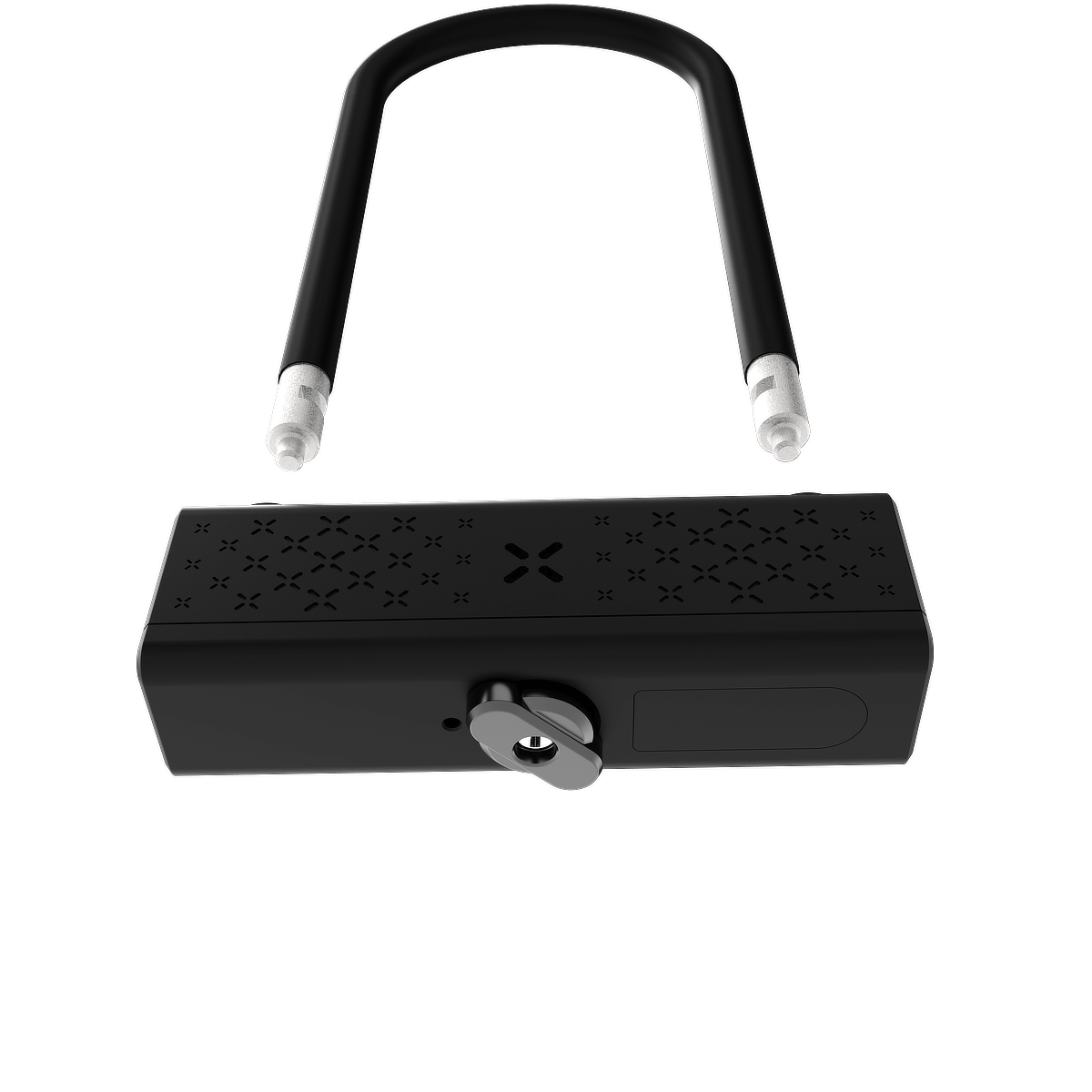
3. Locate the designated screw hole on the smart device to prepare for the next step.
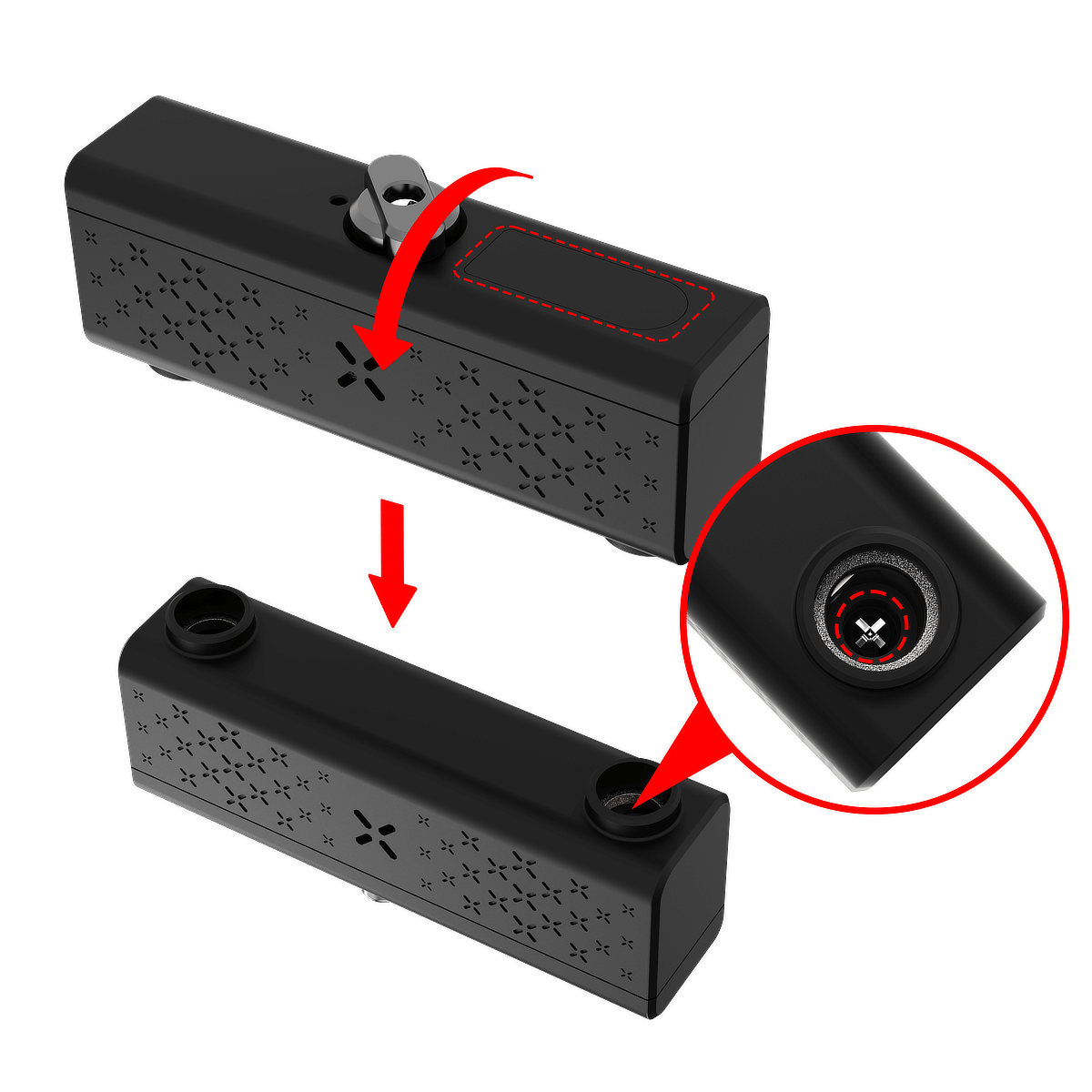
Step 3: Activating the Smart Device
1. Loosen the lever screw: Insert a Phillips screwdriver into the screw head and turn counterclockwise until the lever assembly can be lifted off.
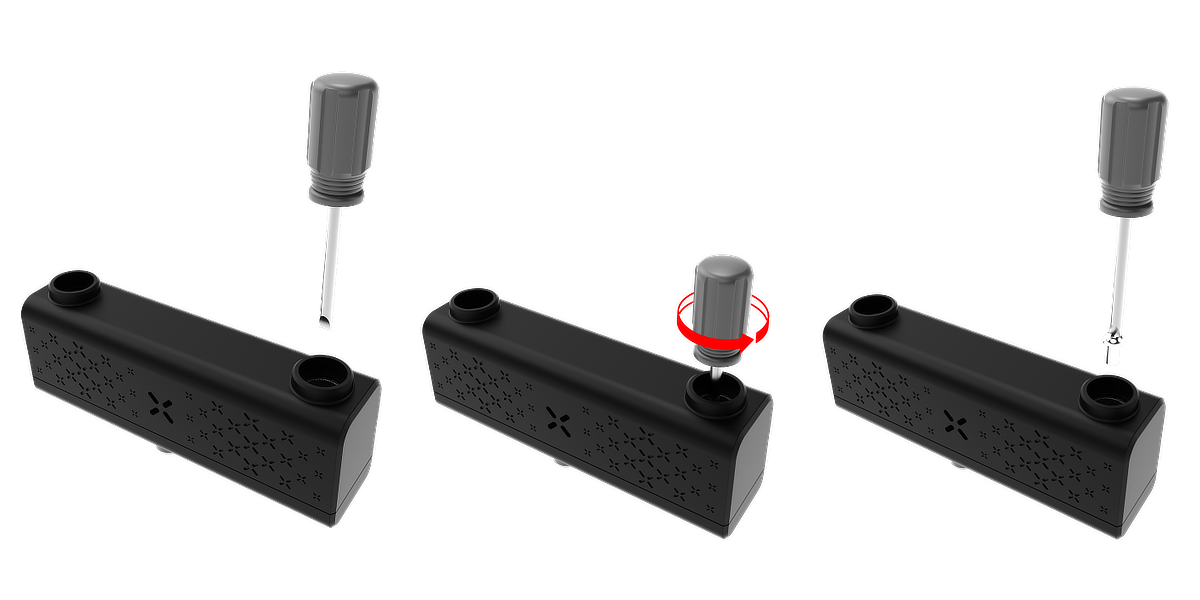
2. Remove the lever faceplate: Gently pull the lever assembly straight up to detach it from the housing.
.png)
3. Lift out the battery compartment: Carefully lift the small battery compartment from its recess beneath the lever.
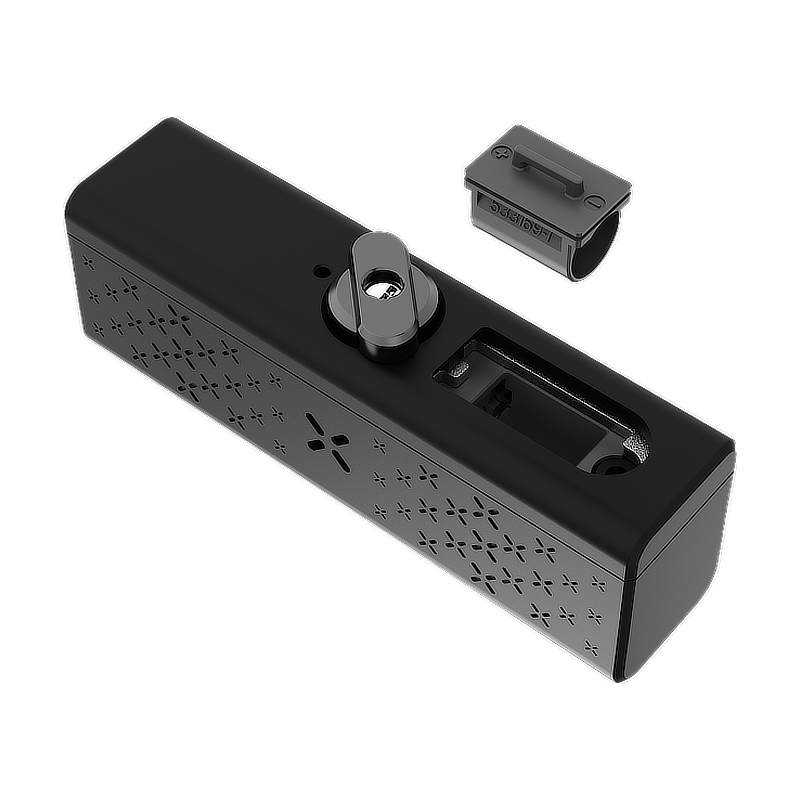
4. Insert the CR2 battery: Align the “+” end of the battery with the “+” marking in the compartment, then insert it fully into place.
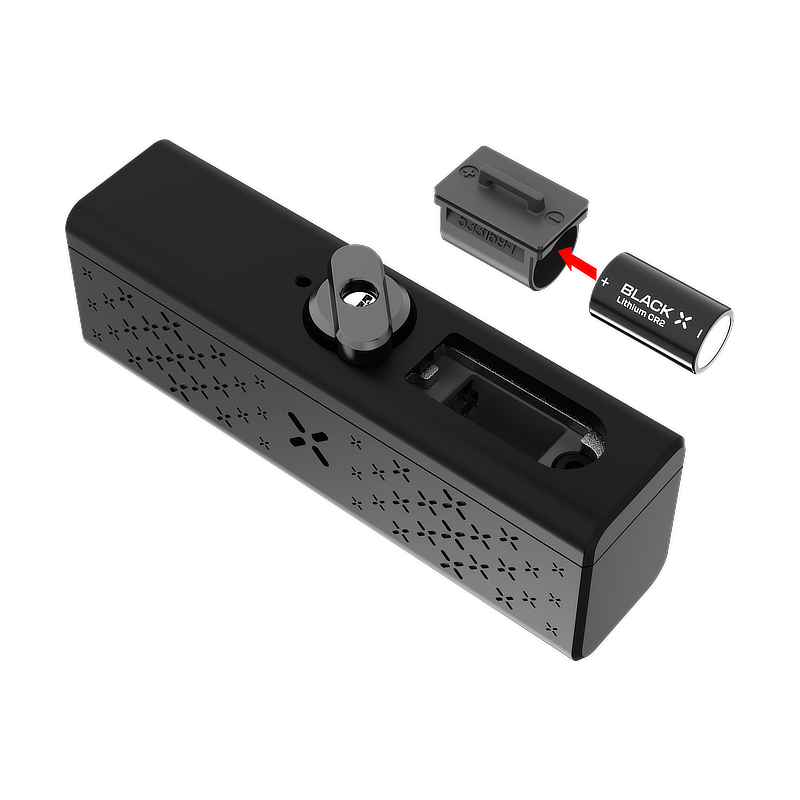
5. Reinstall the battery compartment: Position the battery compartment back into its original recess, ensuring it sits flush.
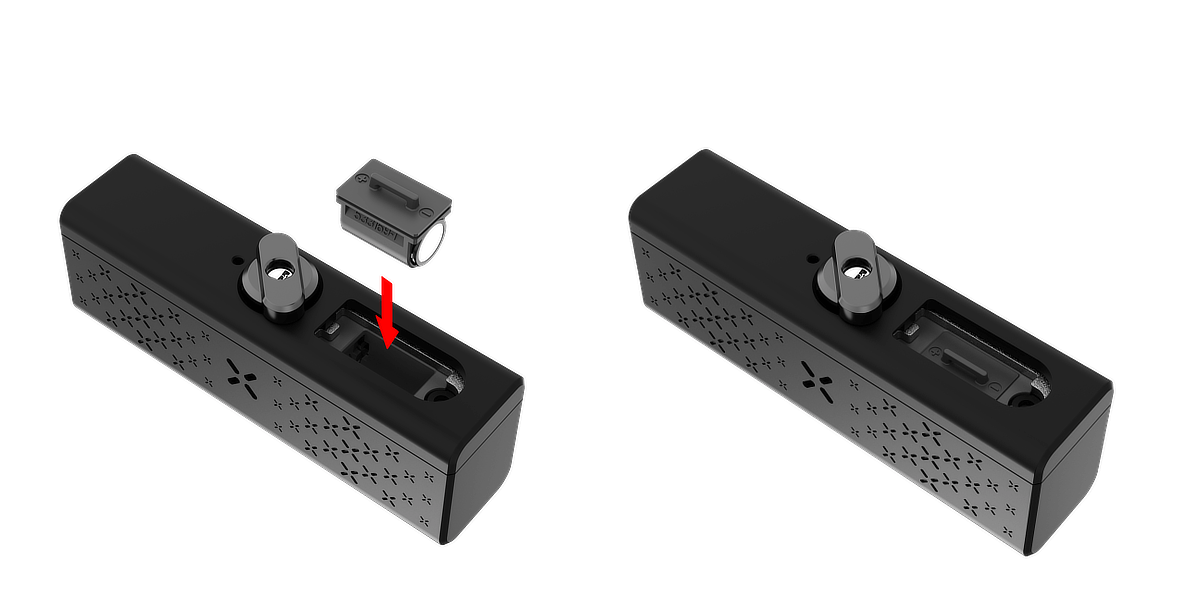
6. Reattach the lever faceplate: Lower the lever assembly straight down onto the housing until it clicks into place.
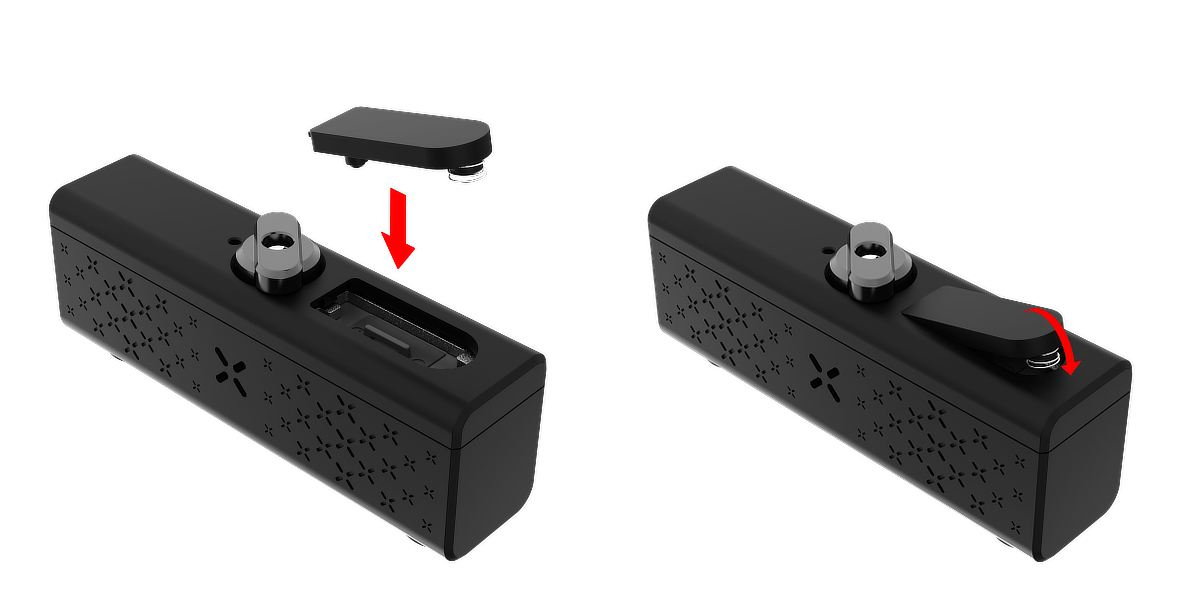
7. Tighten the lever screw: Use a Phillips screwdriver to turn the screw clockwise until snug.
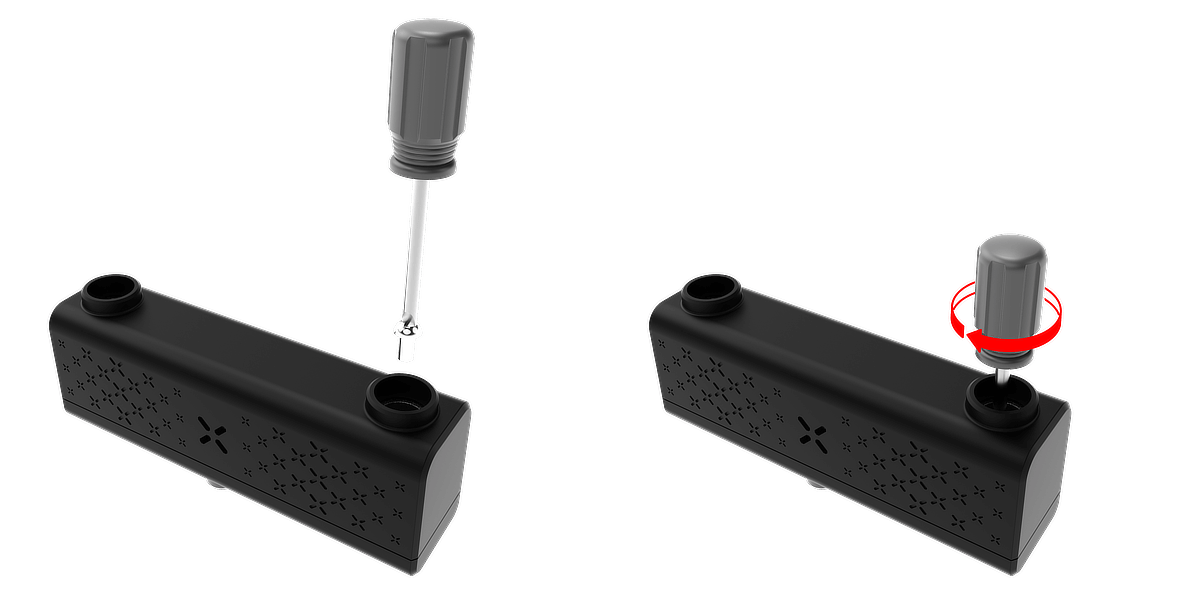
8. Reinsert the U-shackle: Align each end of the shackle with its corresponding hole in the lock housing and push it fully into place.
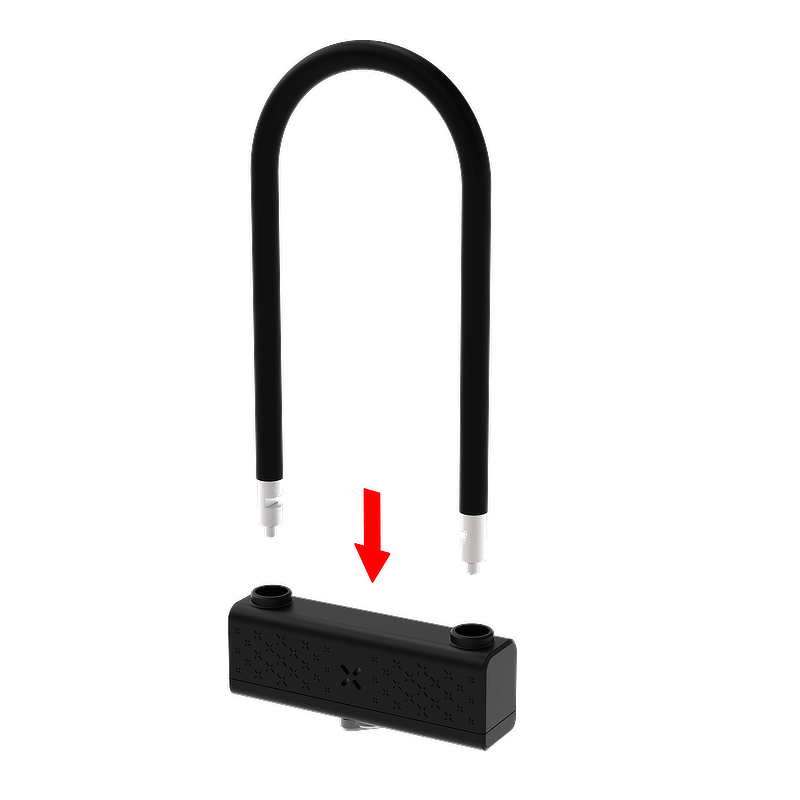
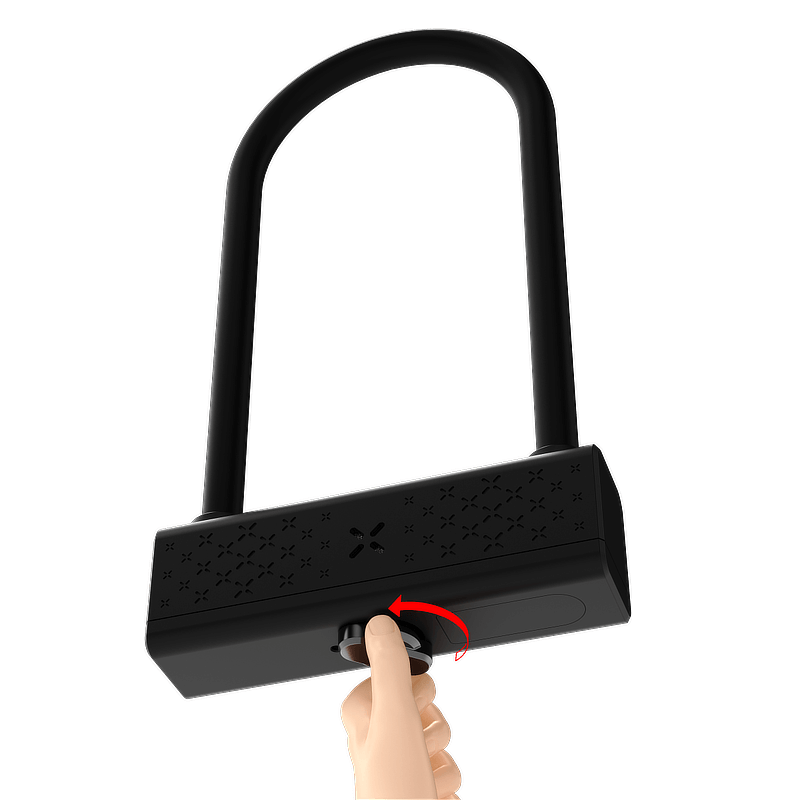
9. Lock the U-shackle: Once the U-shackle is in place, turn the knob counterclockwise to lock it securely.
Note:
Always ensure the U-shackle clicks firmly into the locked position.
Step 4: Pairing the Lock with BLACK X App
1. Ensure Bluetooth is enabled on your smartphone.
2. Download BLACK X App and register an account.
3. From the main menu, tap on “Install New Lock”.
4. Name your lock or select “Bike Lock” from the prenamed list below, and assign it to a home.
5. While in “Discovering Nearby Locks” mode in the BLACK X App, insert the pairing tool into the pairing button recess located on the underside of the smart lock and press firmly to initiate pairing.
6. When the correct lock appears in the pop-up, tap “Connect” to proceed.
7. Congratulations! Your BLACK X Smart Lock is now connected.
.png)
Step 5: Test Functionality
1. Open the BLACK X app and tap the Unlock button.
2. Within 6 seconds, turn the knob clockwise to unlock the lock.
3. Confirm that the lock opens smoothly.
4. Lock the Lock: Ensure the U-shackle is fully and correctly inserted into the lock body. Then, turn the knob counterclockwise to lock the mechanism securely.
.png)
Optional - Pairing xKey for Additional Unlocking Method
1. From the main menu, select your lock and tap the settings icon .
2. Select “xKey remote” and then tap “Add xKey”.
3. Choose the relevant period for authorized access: Timed, Unlimited, or Recurring.
4. Enter the authorized user’s details (first name, last name, and the relevant period, if applicable), then select Continue.
5. Activate the BLACK X xKey by pressing and holding the unlock button for 5 seconds.
6. Select the relevant xKey from the list.
7. Congratulations! You have successfully paired your BLACK X xKey.
Using the xKey:
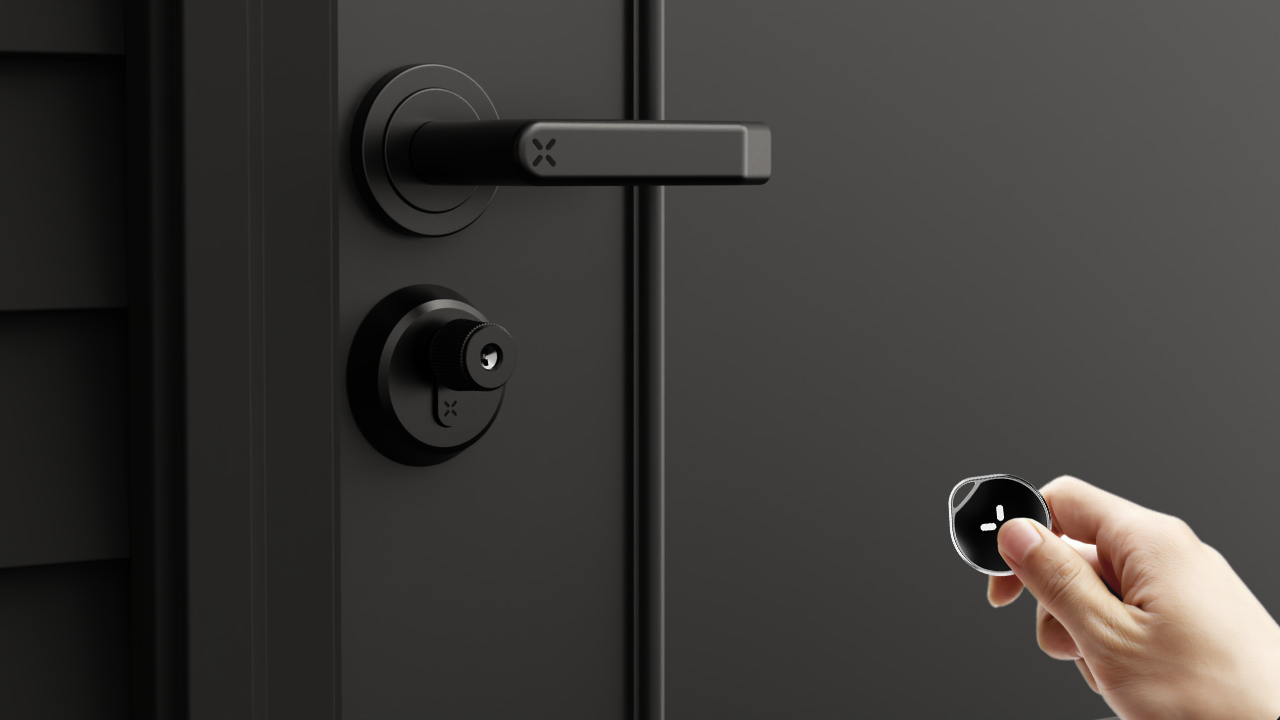
To unlock the lock with the xKey, simply press the button on the xKey within a 2-meter (6 ft) range. The lock will engage the unlock function, just turn the knob clockwise and remove the U-shackle.
Note: The xKey is only used for unlocking. Ensure the U-shackle is fully and correctly inserted into the lock body. Then, turn the knob counterclockwise to lock the mechanism securely.

Mechanical Key Unlocking Method
In addition to smart access via the BLACK X app or the xKey, the lock can also be operated manually using the mechanical key when preferred or required.
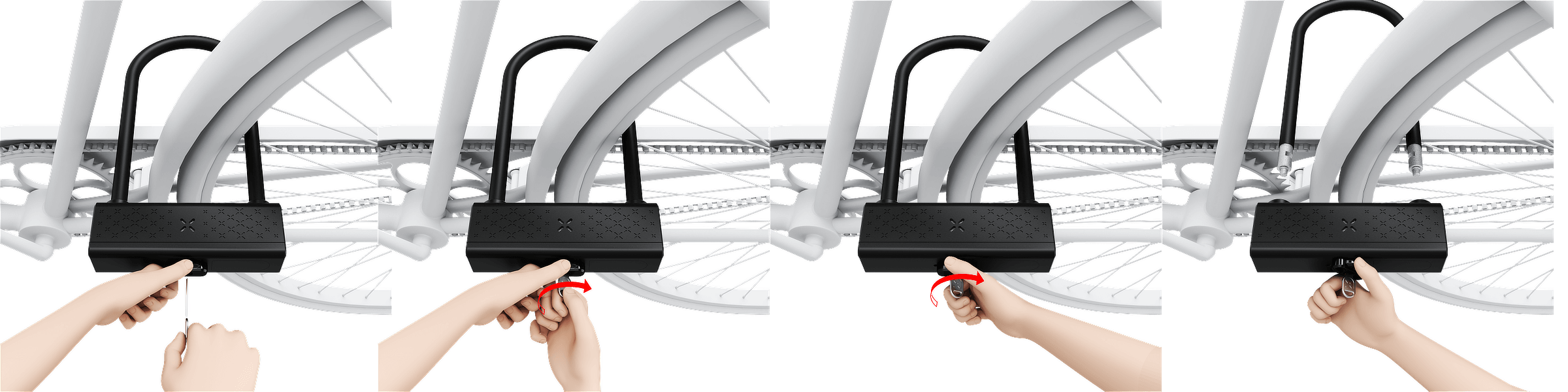
1. Insert the physical key into the cylinder and turn it clockwise.
2. Once engaged, rotate the knob clockwise to unlock manually.
Looking for more?
Our assistant can help refine your search, or you can reach our support team directly.