Removing a lock from your account or transferring it
You can only remove or transfer a lock from the account it's on, so make sure you're signed in to that account.
Remove a lock from your account
Stand near the lock with your phone, then:
- Select your lock and tap the Settings (gear) icon.
- At the bottom of Lock Settings, tap Remove Lock.
- Confirm the removal.
Transfer a lock to another account
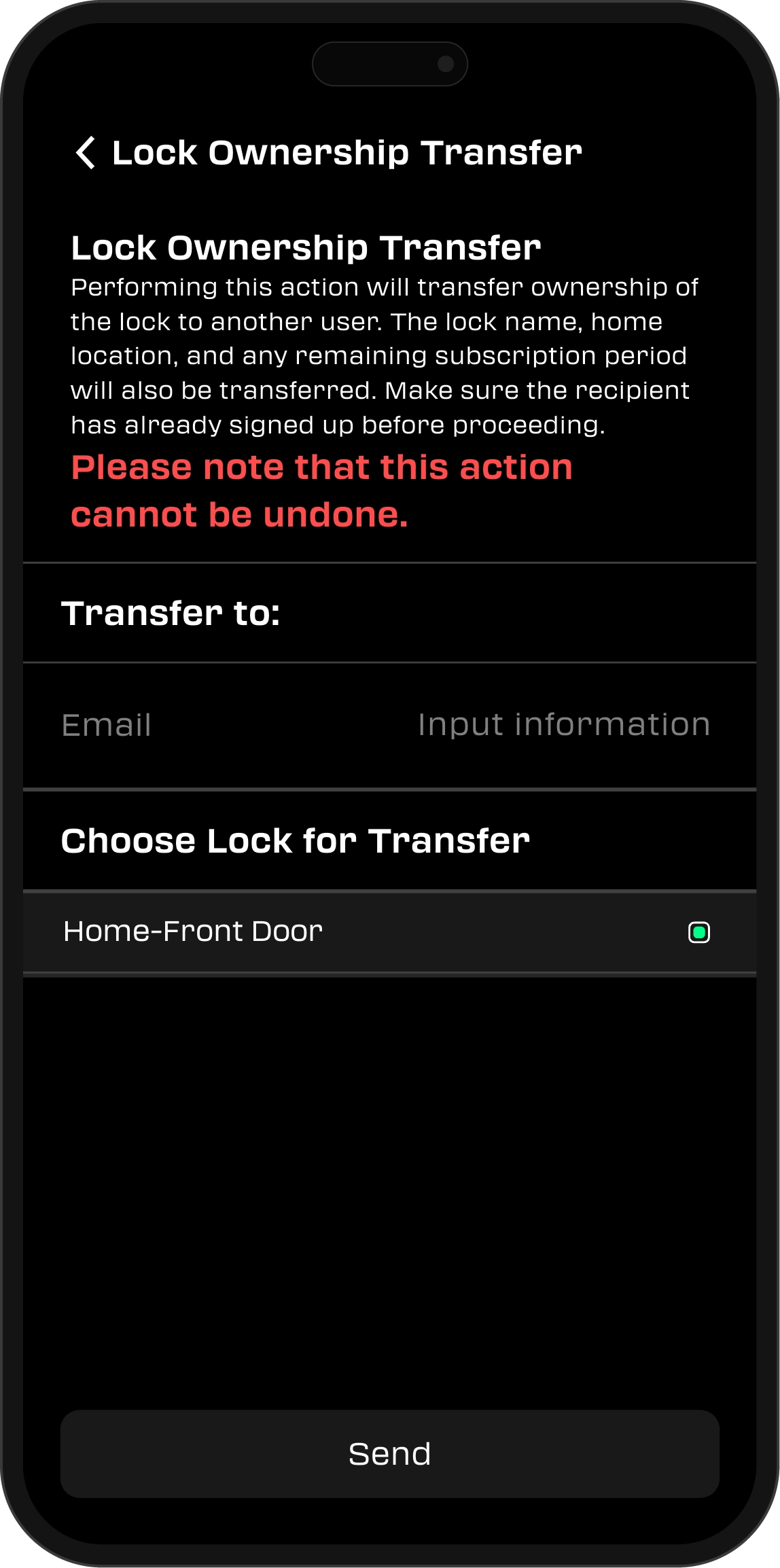
Before you start, make sure the new owner has already signed up for a BLACK X account. The lock's name, its Home and any remaining subscription period move to the new owner with the lock. A transfer can't be undone.
- Select your lock and tap the Settings (gear) icon.
- Scroll down and tap Lock Ownership Transfer.
- Under Transfer to, enter the new owner's email address.
- Under Choose Lock for Transfer, select the lock or locks you want to transfer.
- Tap Send.
- Check the new owner's email address and the chosen lock, then tap Yes.

Resetting or re-pairing a lock doesn't start a new subscription or extend the remaining period.
Lock still on someone else's account?
If the lock is still on another account, for example a previous owner's, ask them to remove it from their app or transfer it to you. BLACK X Support can't remove a lock from someone else's account.
Forgot your password?
- On the app's sign-in screen, tap Reset Password.
- Check the account's email for a verification code.
- Enter the code and set a new password.
- Once you're signed in, you can remove or transfer the lock.
If you're still having trouble, contact BLACK X Support.

Looking for more?
Our assistant can help refine your search, or you can reach our support team directly.